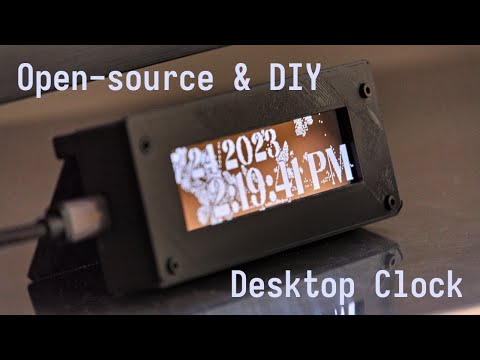
A small screen for displaying computer information.
- Raspberry Pi Pico (5.00€)
- SSD1322 (256x64) (19.08€)
- PLA for the case (0.20€)
- Various M2 screws and nuts length (choose those that fit best for your build format) (0.40€)
- Wires (0.40€)
Total: 25.08€
Print all files starting with SSD1322_ in CAD/STLs/.
Rotate the pieces in your slicer accordingly and print with standard settings and no supports.
(note: These files are generated from the OpenSCAD files in CAD/OpenSCAD/. You can modify and create new presets in the .json files in that directory and generate the corresponding files using OpenSCAD. The variables are made to be copied between the files. This enables quickly adding support for new screens.).
Wire all the parts up according to this diagram (found in CAD/Fritzing/).

Building the firmware for the Raspberry Pi Pico is as easy as installing the dependencies (cmake and gcc), cd-ing into Software/Firmware/ and running:
git submodule update --init --recursive
sh build.sh
The built .uf2 firmware files are located in Software/Firmware/build/.
You just need to boot your Raspberry Pi Pico into BOOTSEL mode and drag and drop them into the mounted drive to upload the firmware.
Building the client is as simple as installing golang, cd-ing into Software/Companion App/ and running:
go mod tidy
go build
You can then run the client with:
./pscreenYou can then select the connected device by pressing b and start broadcasting to it with s.
Adding and removing modules is pretty self explanatory (use a and r).
Some parameters for the client such as module tweaks, client language, resolution, speed and timeouts can be changed in Software/Companion App/config/config.go.
Changing these parameters requires recompiling the software.
I have tried making the whole project as modular and tweakable as possible. You can add new modules and new support for new screens pretty easily. If you do, don't forget to create a pull request.
If you have any questions, you can open an issue. I'd be happy to help!
Most importantly, have fun!