git clone https://github.com/williamsouzaa/express-api.git
cd express-api
docker-compose up -d
cp .env.example .env
yarn
yarn sequelize db:migrate

yarn dev (http://localhost:3000)- Postgres
- IP: 192.10.1.1
- MySql
- IP: 192.10.1.2
- Mongo
- IP: 192.10.1.3
- Redis
- IP: 192.10.1.4
- Bcryptjs
- Cors
- Dotenv
- Express
- Joi
- JWT
- Bull - Queue
- Mongoose
- Nodemailer
- Sequelize
- Sequelize-cli
- Sentry.io
- Jest
- Swagger
Clone the repository and follow the docs to install project.
In the moment use the base of project to create new files and read the documentation packages to implements new features. Use best practices(Solid, CodeClean) for writing new features... :)
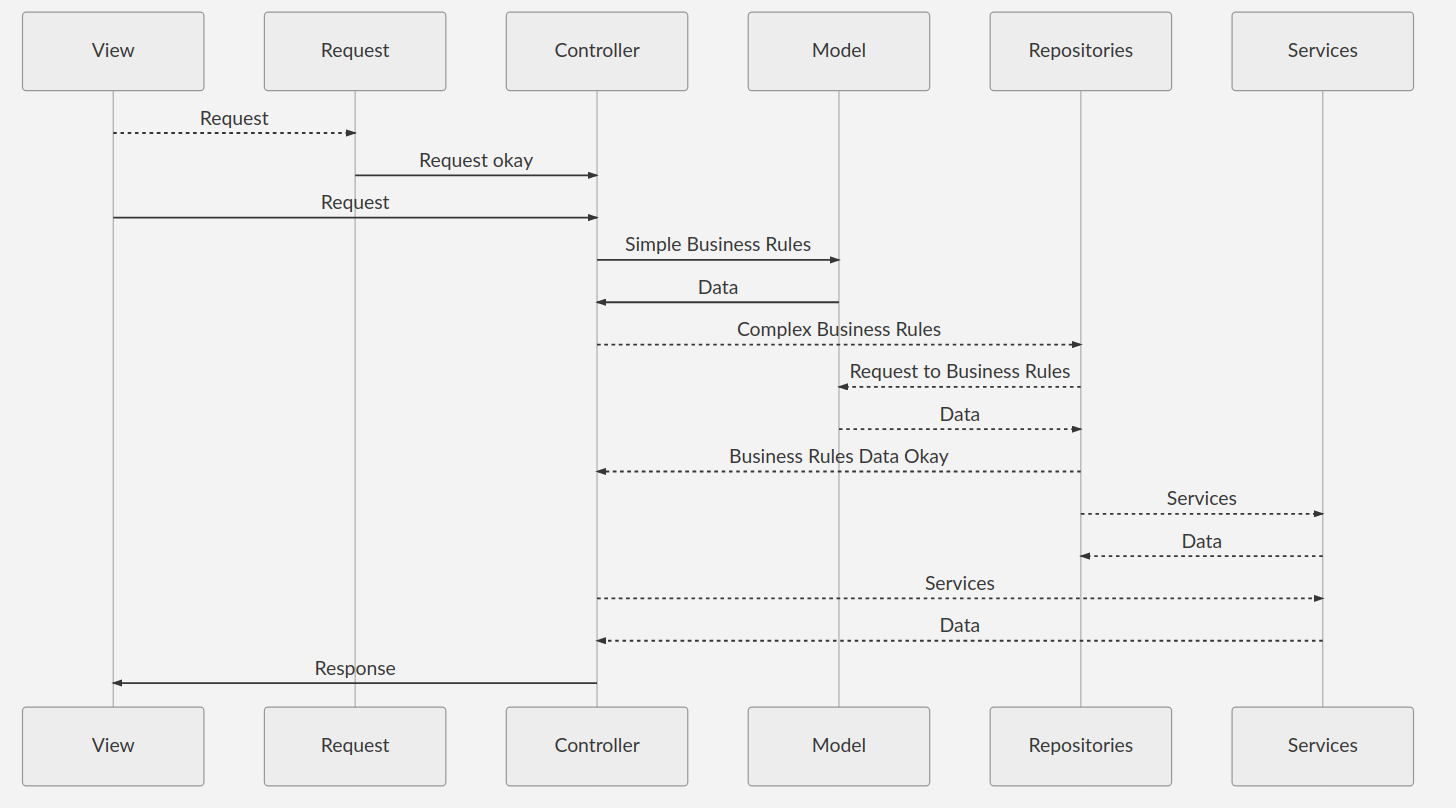
{
  "workbench.iconTheme": "vscode-icons",
  "explorer.confirmDelete": false,
  "editor.fontLigatures": true,
  "editor.fontSize": 13,
  "editor.lineHeight": 22,
  "editor.formatOnSave": true,
  "editor.rulers": [80, 120],
  "editor.topSize": 2,
  "editor.renderLineHighlight": "gutter",
  "terminal.integrated.fontSize": 14,
  "emmet.syntaxProfiles": {
    "javascript": "jsx"
  },
  "emmet.includeLanguages": {
    "javascript": "javascriptreact",
    "edge": "html",
    "nunjucks": "html"
  },
  "javascript.updateImportsOnFileMove.enabled": "never",
  "javascript.suggest.autoImports": false,
  "breadcrumbs.enabled": true,
  "editor.parameterHints.enabled": false,
  "prettier.eslintIntegration": true,
  "files.associations": {
    "*.njk": "nunjucks",
    "*.html": "html",
    "*.yml": "yaml"
  },
  "[nunjucks]": {},
  "window.zoomLevel": 1,
  "explorer.confirmDragAndDrop": false
}- Auto Close Tag
- Auto Rename Tag
- Bracket Pair Colorizer
- Code Spell Checker
- Color Highlight
- Docker
- EditorConfig for Vs Code
- ESlint
- JavaScript(ES6) code snippets
- Prettier - Code formatter
- vscode-icons