The missing audit log & content log viewer for the Umbraco backoffice. Browse, search, filter, sort, and export every login, save, publish, move, and delete in your Umbraco site — straight from the Settings section, with no SQL queries. Supports Umbraco 16, 17 and 18.





- Overview
- Key features
- Where to find it
- The three views
- Screenshots
- Installation
- Compatibility
- How it works
- Security & privacy
- FAQ
- Changelog
- Keywords
- License
Umbraco records every backoffice action — user logins, content saves, publishes, moves, deletes, and user/security events — in the umbracoLog and umbracoAudit database tables. But the backoffice has no built-in screen to read them, so answering questions like "who unpublished this page?", "when did this user last log in?", or "what changed last week?" usually means writing raw SQL.
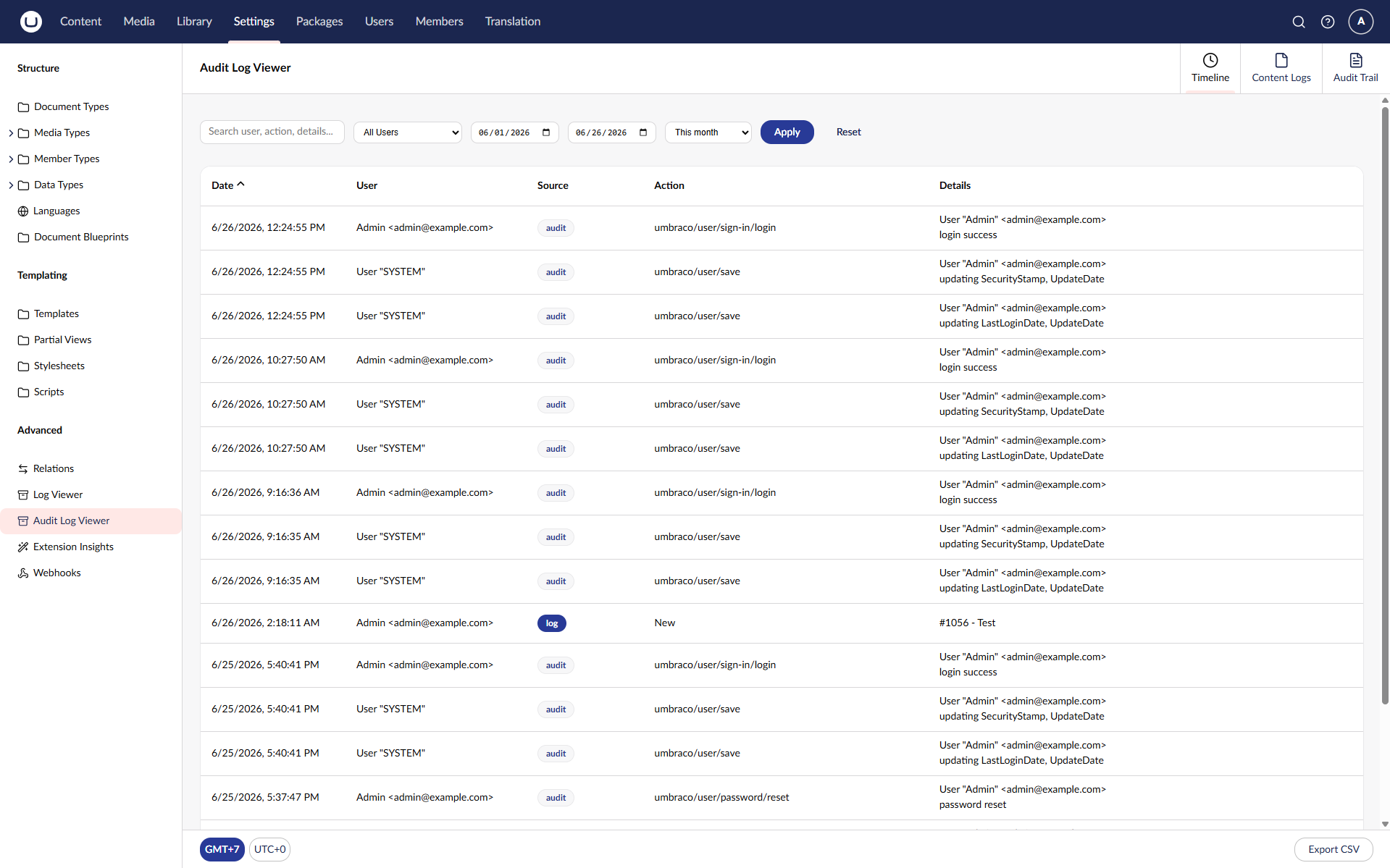
uTPro Audit Log Viewer adds that missing screen to Umbraco. It turns your audit and content log data into a fast, searchable, filterable, and exportable view inside Settings → Advanced — ideal for debugging, content auditing, user activity tracking, security review, and compliance reporting.
This is a lightweight, read‑only package: it creates no new database tables and never modifies your data.
- 🧭 Three views — a unified Timeline (audit + content logs merged chronologically), a Content Logs view (
umbracoLog), and an Audit Trail view (umbracoAudit). - 🔎 Full‑text search across details, user, IP address, event type, comment, and node ID.
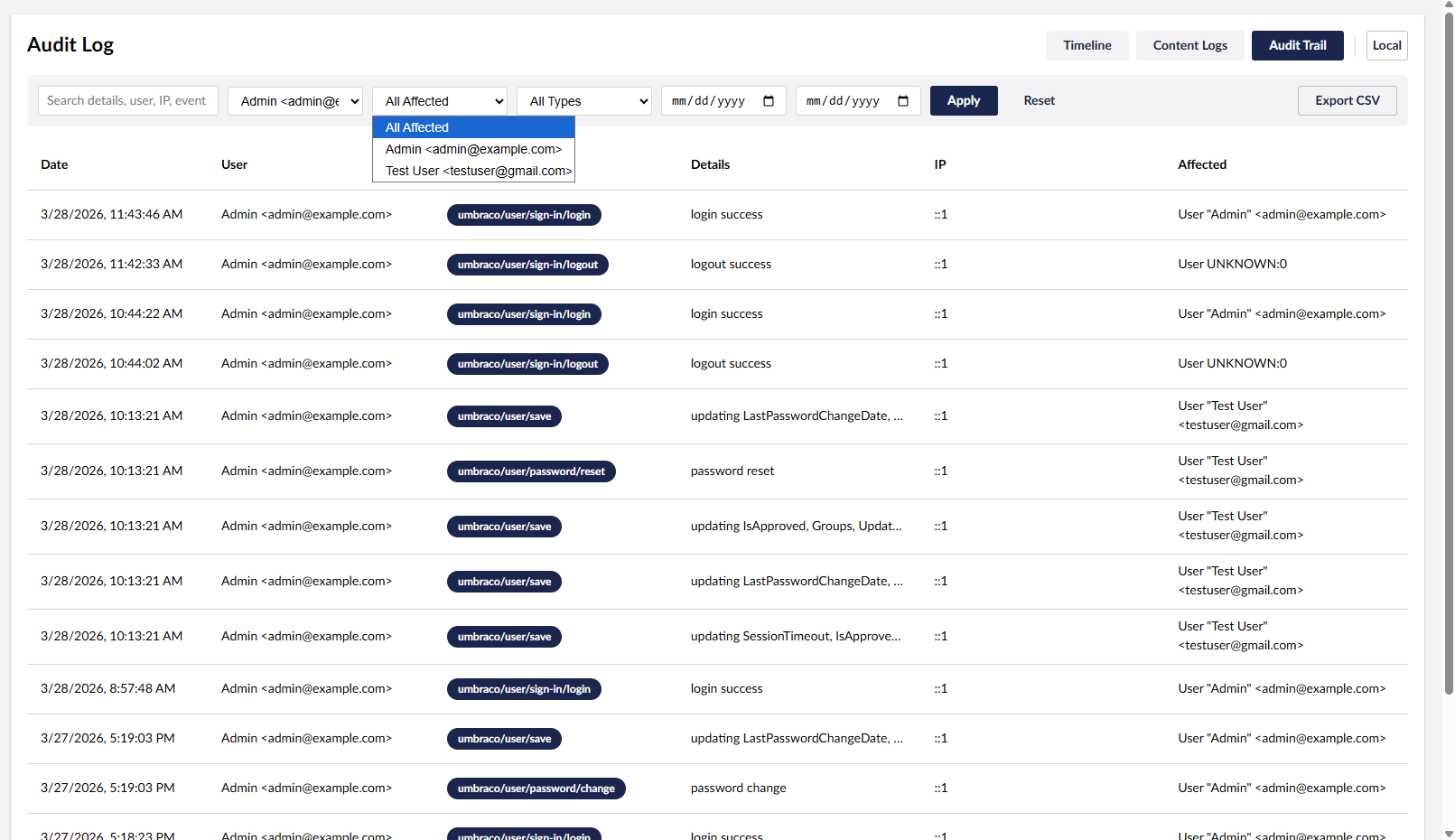
- 🎚️ Rich filtering — by performing user, affected user, event type / log header, and date range.
- ⚡ Quick date ranges — This month (default), Last 30 days, Last 7 days, Today, or Custom.
↕️ Sortable columns — click any header to sort ascending/descending (server‑side, fast on large tables).- 🔗 Quick edit links — jump from a Document or Media log entry straight to its editor in the backoffice.
- 🕐 Local / UTC time toggle — switch the whole table between your local timezone (shown as e.g.
GMT+7) and UTC. - 📄 Server‑side pagination with jump‑to‑page.
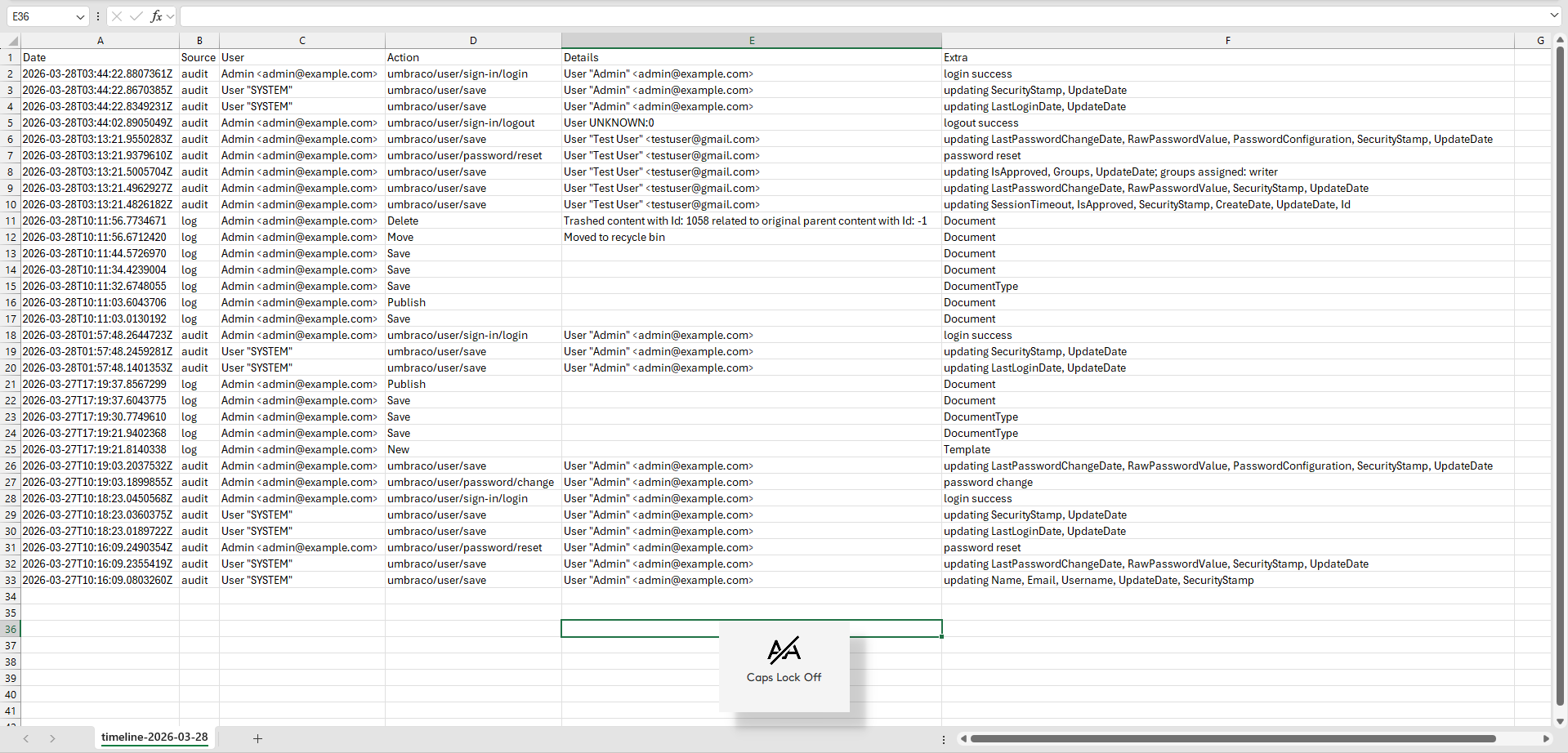
- ⬇️ Export to CSV — download the current, filtered result set (up to 50,000 rows).
- 🔖 Shareable & bookmarkable filters — the active filter, sort, and page are saved in the URL, so you can refresh, bookmark, or share a link and land on the exact same view.
- 🔒 Secure by default — access is restricted to backoffice administrators (requires both the Settings‑section permission and membership of the built‑in Administrators group).
- 🗄️ Works on SQL Server, SQLite and PostgreSQL.
After installing, open:
Settings → Advanced → Audit Log Viewer (in the left sidebar, just below the built‑in Log Viewer).
Only backoffice administrators can open and use it — a non‑admin user with Settings‑section access will receive a Forbidden response.
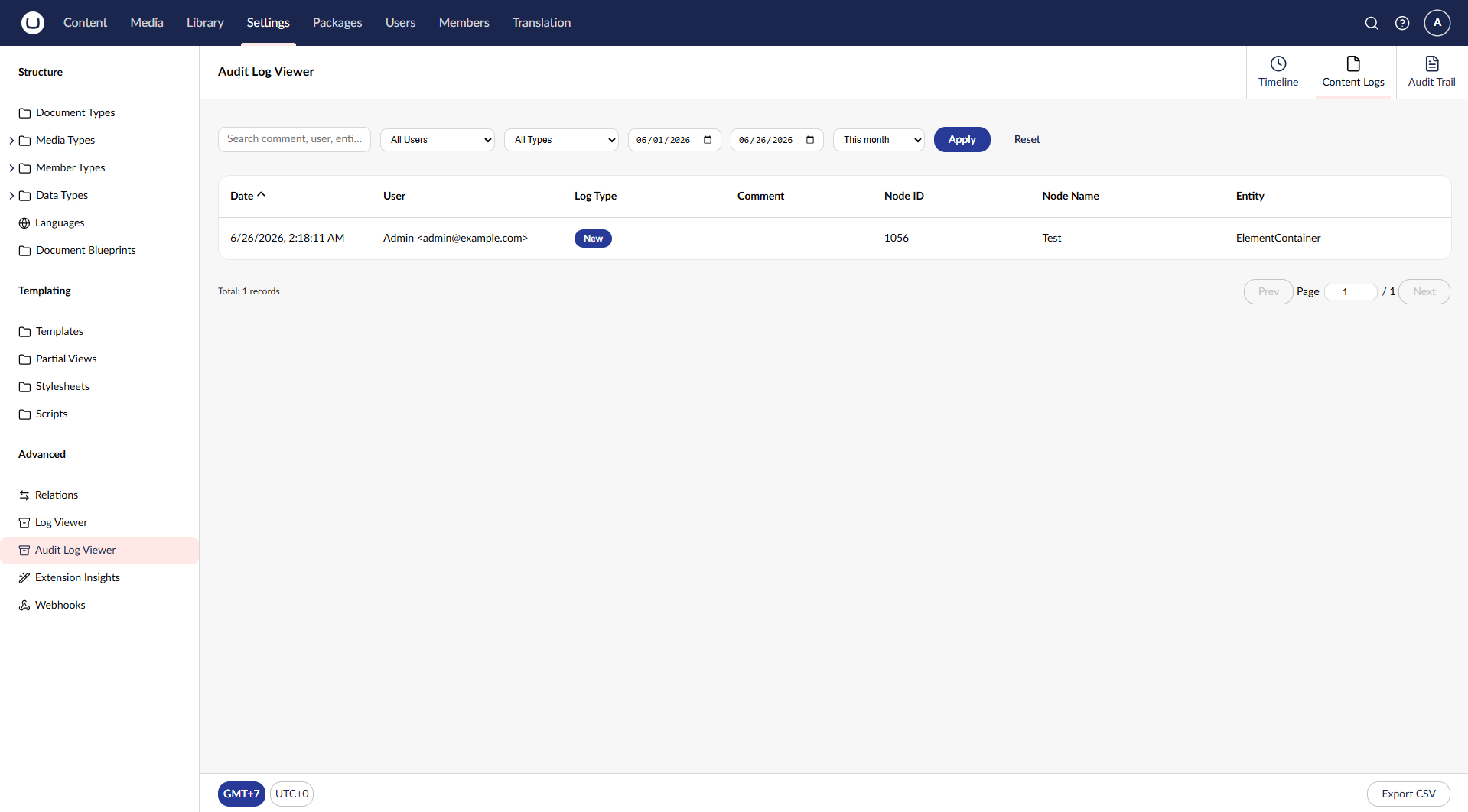
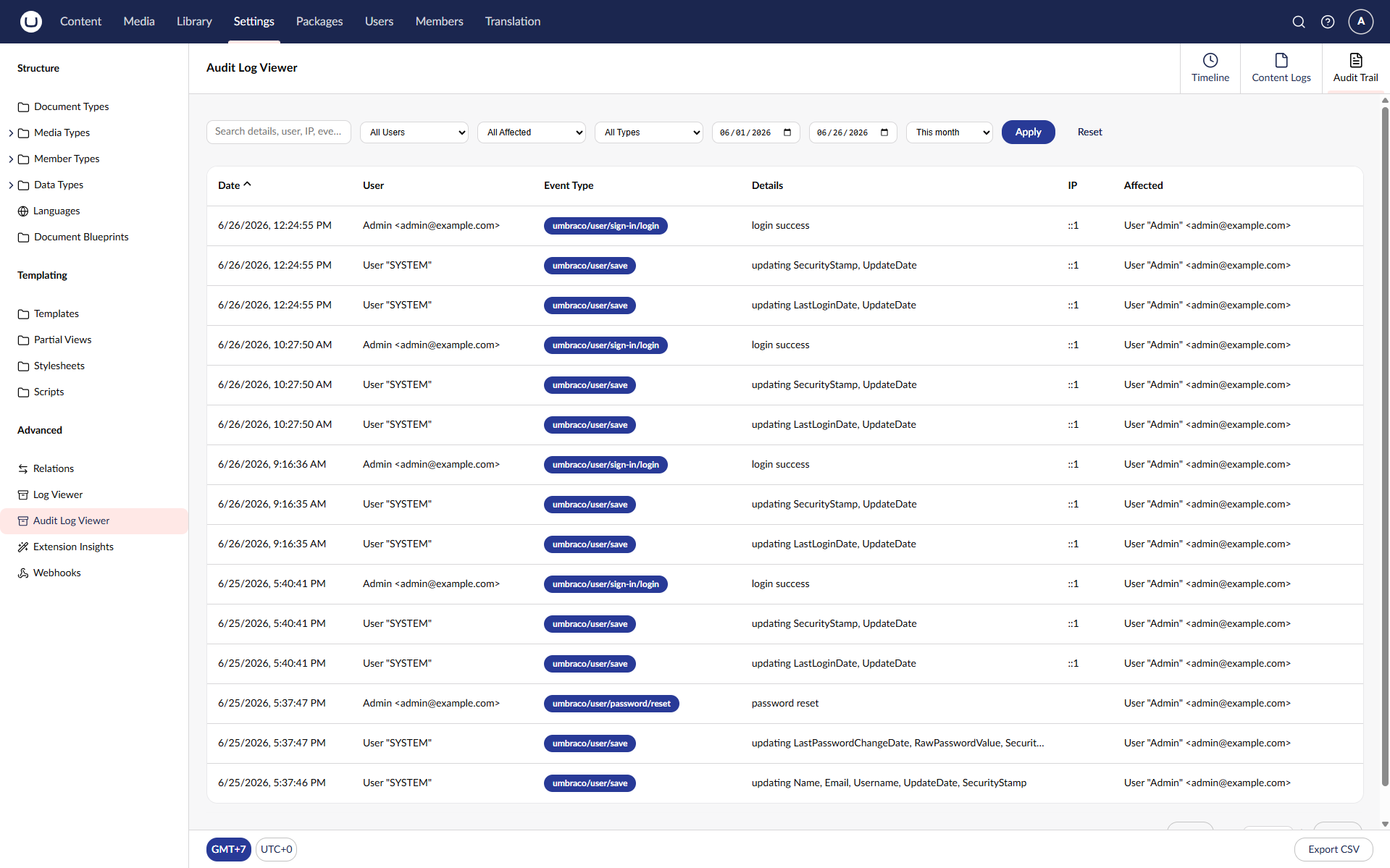
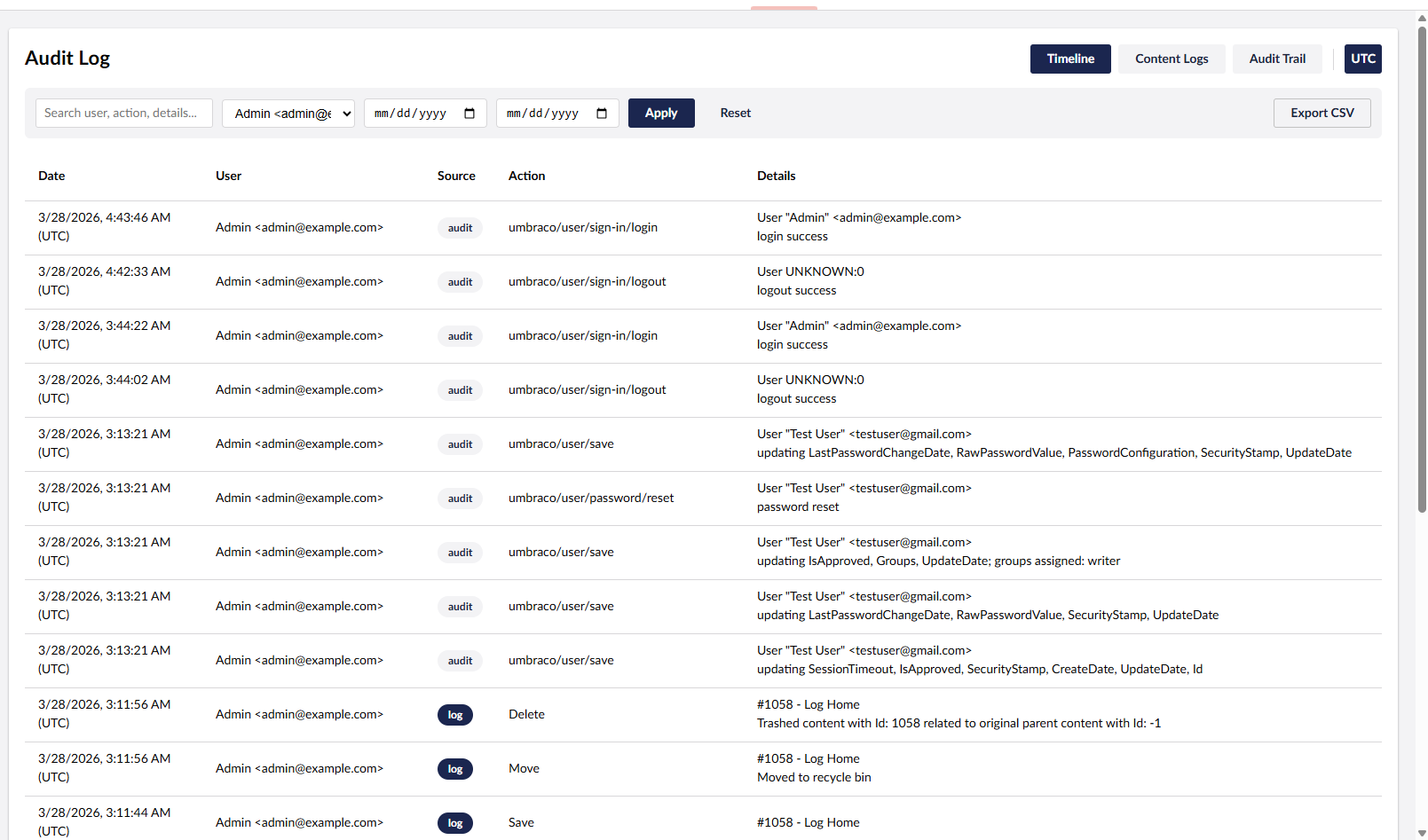
| View | What it shows | Source table |
|---|---|---|
| Timeline | Audit and content log entries merged and sorted by time — the full activity flow in one list | umbracoAudit + umbracoLog |
| Content Logs | Content & media actions (Save, Publish, Move, Delete…) with user, node, and entity type | umbracoLog |
| Audit Trail | User & security events (sign‑in, password reset, profile changes…) with performing user, affected user, and IP | umbracoAudit |
| Timeline | Content Logs | Audit Trail |
|---|---|---|
|
 |
 |
| Filtering | UTC / Local time | Export CSV |
|---|---|---|
 |
 |
 |
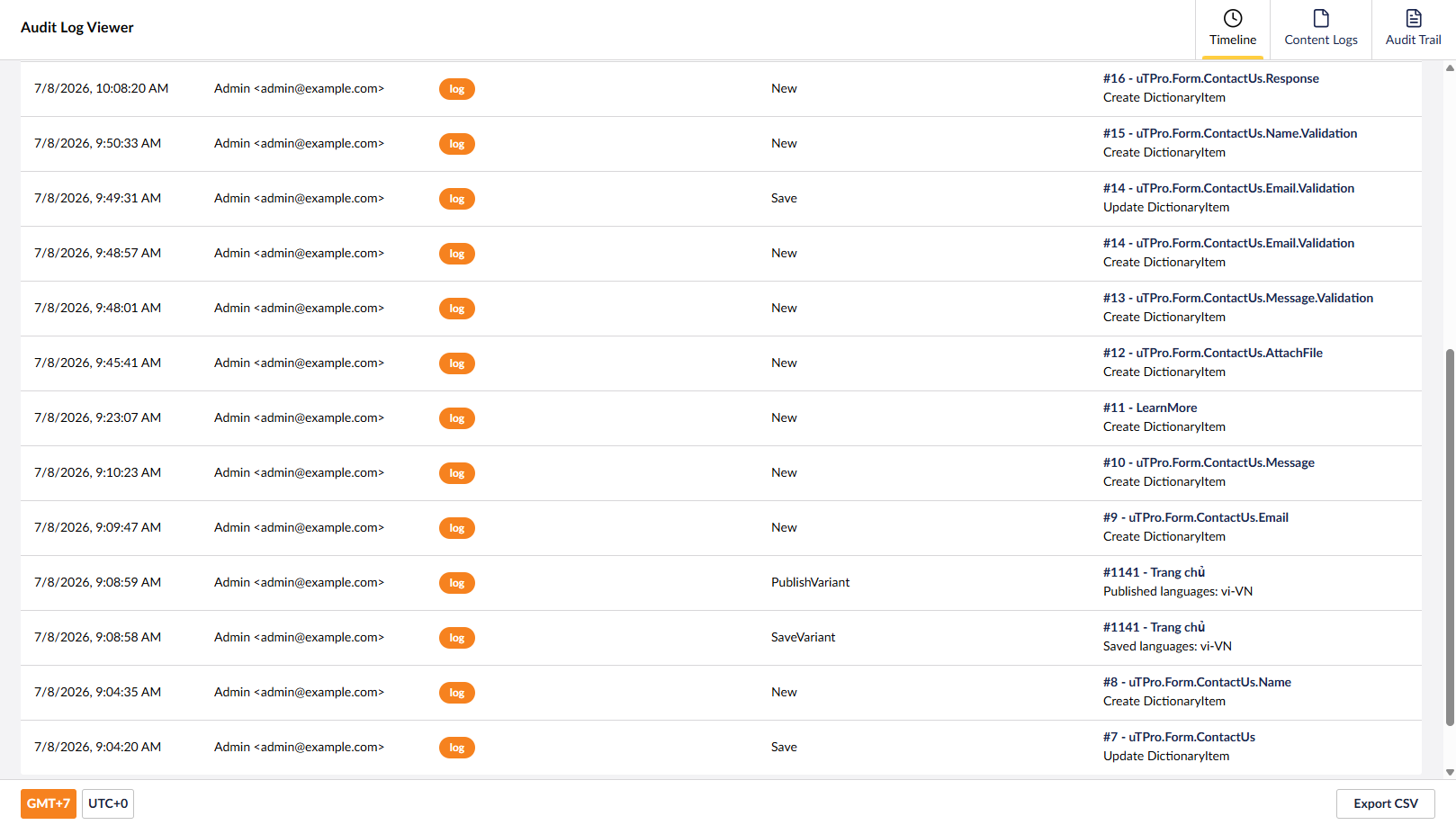
Dictionary quick link — dictionary item log entries show the dictionary key and link straight to the item's editor (Translation section) instead of a bare node id.
Install from NuGet:
dotnet add package uTPro.Feature.AuditLogThen run your site. The package registers itself automatically and the Audit Log Viewer item appears under Settings → Advanced. No configuration required.
| Umbraco | .NET | Database |
|---|---|---|
| 16.x | 9.0 | SQL Server · SQLite · PostgreSQL |
| 17.x | 10.0 | SQL Server · SQLite · PostgreSQL |
| 18.x | 10.0 | SQL Server · SQLite · PostgreSQL |
The package multi‑targets net9.0 (Umbraco 16) and net10.0 (Umbraco 17 & 18); a single install picks the right build for your project automatically.
PostgreSQL note: All queries quote their table/column identifiers through Umbraco's
SqlSyntaxprovider, so they run correctly against a case‑sensitive PostgreSQL database — for example when using the communityOur.Umbraco.PostgreSqlprovider. No provider‑specific configuration is required.
uTPro Audit Log Viewer is a self‑contained Razor Class Library:
- A Management API controller (
/umbraco/management/api/v1/utpro/audit-log/…) reads the data, guarded by the Settings‑section policy AND an administrators‑group check (admin‑only). - A scoped service queries
umbracoAuditandumbracoLogusing Umbraco's scope provider with parameterized SQL, joiningumbracoUserandumbracoNodefor friendly names. All identifiers are quoted through Umbraco'sSqlSyntaxprovider, so the same code runs on SQL Server, SQLite and PostgreSQL, and it auto‑detects the provider for correct timeline date handling. - A Lit‑based backoffice extension registers a Settings menu item plus three workspace‑view tabs, a shared workspace context, and a workspace footer (Export + time toggle).
- All endpoints require access to the Settings section AND Administrator membership, so only administrators can read audit data.
- CSV export neutralizes spreadsheet formula injection — cells beginning with
=,+,-,@, tab, or carriage return are prefixed with a single quote — and the search term escapes SQLLIKEwildcards. - The package is read‑only apart from generating the CSV file you choose to download. It does not add tables, columns, or migrations and does not change existing data.
Does it modify or delete any data?
No. It only reads from umbracoAudit and umbracoLog; the only output is the CSV you download.
Who can see the audit data? Only backoffice administrators (users in the Administrators group with Settings‑section access).
Why are some users shown as SYSTEM or UNKNOWN?
Those entries were written by Umbraco itself (background tasks) or by an account that no longer resolves — they are shown exactly as recorded.
Can I export more than 50,000 rows? The export is capped at 50,000 rows per file to stay responsive. Narrow the result with filters and export in batches.
Does it work with SQL Server, SQLite and PostgreSQL?
Yes — all three are supported, including correct chronological ordering on the Timeline. For PostgreSQL, use it together with a PostgreSQL provider such as Our.Umbraco.PostgreSql.
- Access tightened to administrators only (previously any user with Settings‑section access). The controller now additionally requires membership of the built‑in Administrators group, because audit logs expose every user's activity, emails, and IP addresses.
- CSV formula‑injection neutralization on all three exports — cells beginning with
=,+,-,@, tab, or carriage return are prefixed with a single quote. - SQL
LIKEwildcard escaping on the search term. - Internal refactor of the query service into partial files. No UI or database changes.
- Internal refactor — the monolithic
AuditLogModels.cswas split into one‑type‑per‑file DTOs and view models, with small service‑interface tidy‑ups. No functional, API, UI, or database changes versus 4.0.3.
- Dictionary quick links. Dictionary item log entries now resolve to the dictionary key and link straight to the item's editor in the backoffice (Translation section), instead of showing only the numeric node id. Applies to the Timeline and Content Logs views.
- Maintenance release — clean rebuild from a wiped output to guarantee the shipped assembly is current (packaging now goes through a deterministic clean‑pack step). No source, API, UI, or database changes versus 4.0.1.
- Republish of the PostgreSQL‑compatibility release under a new version number (the 4.0.0 artifact on the feed/cache predated the identifier‑quoting fix). Contents are identical to 4.0.0 below.
- PostgreSQL support. All queries now quote their table and column identifiers through Umbraco's
SqlSyntaxprovider (GetQuotedTableName/GetQuotedColumnName), so they run correctly against a case‑sensitive PostgreSQL database — for example with the communityOur.Umbraco.PostgreSqlprovider — in addition to SQL Server and SQLite. - Removed hard‑coded SQL Server square‑bracket identifiers (
[Text],[User]) that PostgreSQL does not understand. - Fixed a column‑casing issue (
umbracoLog.Datestamp) that only worked by chance on case‑insensitive engines. - No UI, feature, or database‑schema changes — this is purely a database‑compatibility release.
- Support for Umbraco 16, 17 and 18 (multi‑target
net9.0/net10.0). - Moved to a Settings menu item with three workspace tabs (Timeline, Content Logs, Audit Trail).
- Added sortable columns, quick edit links to Document/Media, quick date ranges with This month default, GMT/UTC toggle in the workspace footer, jump‑to‑page, and shareable/bookmarkable URL filters.
Umbraco audit log, Umbraco audit log viewer, Umbraco content log, Umbraco log viewer, Umbraco audit trail, umbracoLog, umbracoAudit, backoffice user activity tracking, content change history, security logging, compliance & GDPR reporting, export audit log to CSV, Umbraco 16 / 17 / 18 package, Umbraco developer tools.
Released under the MIT license.